WordPress.org

🌏🌍🌎 (Emoji)

  • 🎨
  • πŸ”Œ
  • News
  • Support
  • About
  • Get WordPress
Get WordPress
WordPress.org

Plugin Directory

Login Captcha

  • Submit a plugin
  • My favorites
  • Log in
  • Submit a plugin
  • My favorites
  • Log in

This plugin hasn’t been tested with the latest 3 major releases of WordPress. It may no longer be maintained or supported and may have compatibility issues when used with more recent versions of WordPress.

Login Captcha

By sach3932
Download
  • Details
  • Reviews
  • Installation
  • Development
Support

Description

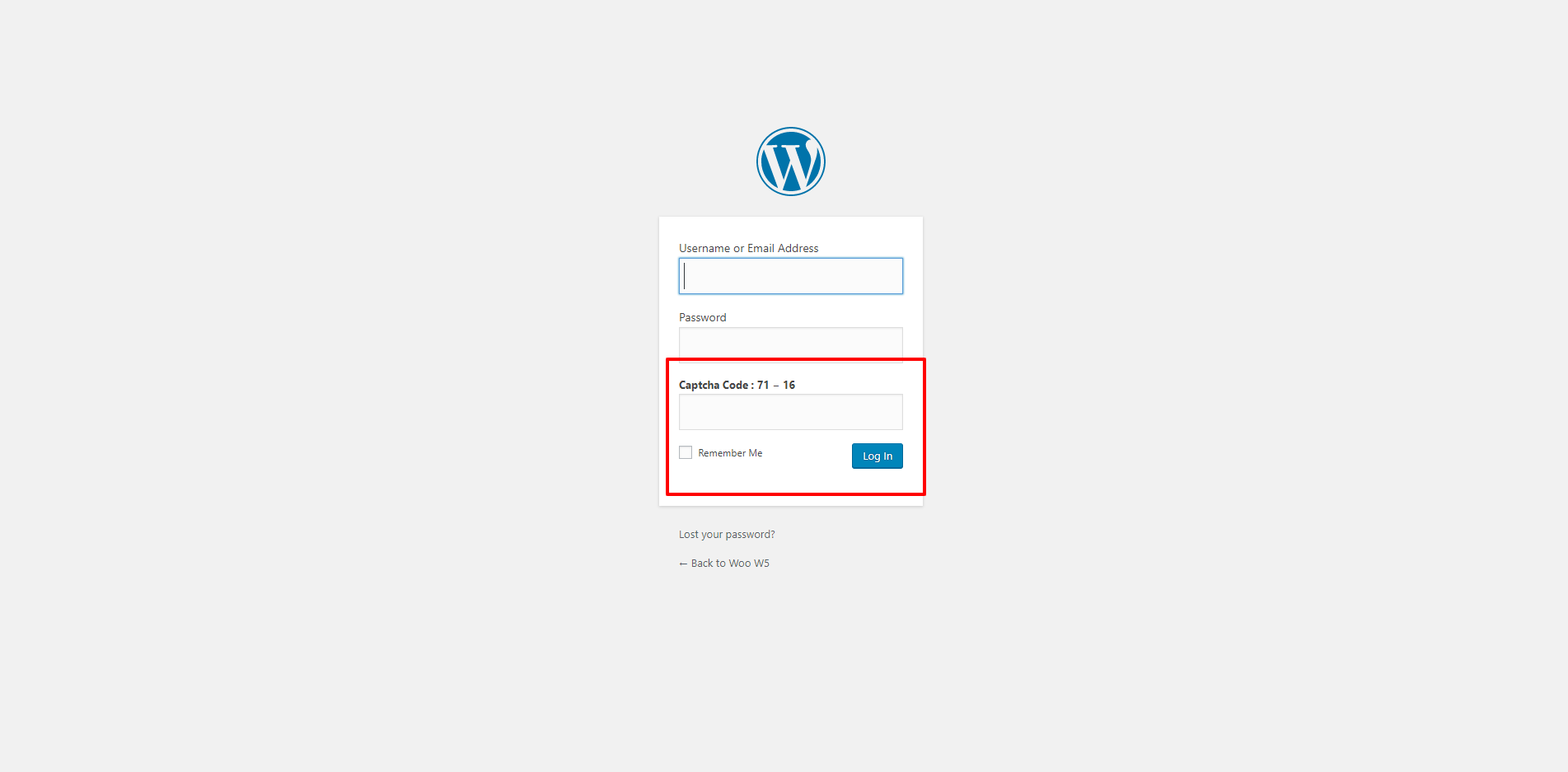
This plugin used to apply/add login captcha field to wordpress login form.

Features

  • Extremely easy to use

  • Secure

  • No Admin Settings.

Screenshots

  • Login Screen View

Installation

  1. Upload login-captcha folder to the /wp-content/plugins/ directory
  2. Activate the plugin through the β€˜Plugins’ menu in WordPress

Reviews

There are no reviews for this plugin.

Contributors & Developers

“Login Captcha” is open source software. The following people have contributed to this plugin.

Contributors
  • sach3932

Translate “Login Captcha” into your language.

Interested in development?

Browse the code, check out the SVN repository, or subscribe to the development log by RSS.

Meta

  • Version 1.0
  • Last updated 6 years ago
  • Active installations Fewer than 10
  • WordPress version 4.9 or higher
  • Tested up to 5.2.23
  • Language
    English (US)
  • Tags
    captchaloginsecurity
  • Advanced View

Ratings

No reviews have been submitted yet.

Add my review

See all reviews

Contributors

  • sach3932

Support

Got something to say? Need help?

View support forum

  • About
  • News
  • Hosting
  • Privacy
  • Showcase
  • Themes
  • πŸ”Œ
  • Patterns
  • πŸ“š
  • Support
  • πŸ‘¨β€πŸ’»πŸ‘©β€πŸ’»
  • WordPress.tv β†—
  • Get Involved
  • Events
  • Donate β†—
  • Five for the Future
  • WordPress.com β†—
  • Matt β†—
  • bbPress β†—
  • BuddyPress β†—
WordPress.org
WordPress.org

🌏🌍🌎 (Emoji)

  • Visit our X (formerly Twitter) account
  • Visit our Bluesky account
  • Visit our Mastodon account
  • Visit our Threads account
  • Visit our Facebook page
  • Visit our Instagram account
  • Visit our LinkedIn account
  • Visit our TikTok account
  • Visit our YouTube channel
  • Visit our Tumblr account
πŸ–₯ = πŸ’Œ