
Description
BuddyPress Private Community allows the administrator to lock certain parts of their site. It helps create a private BuddyPress community by locking certain BuddyPress Components, WordPress Pages, Custom Post Types for public view without using any membership plugin. You can set the locked content, which will be displayed on the locked page.
The user will need to login/register to view the locked content.
THEME – WORDPRESS THEME WITH OUTSTANDING BUDDYPRESS SUPPORT
- FREE BuddyPress Theme: BuddyX – Offers unique layouts with clean code and easy-to-customize options giving you a whole new way to visualize BuddyPress.
OUR ADON PLUGINS TO FURTHER IMPROVE YOUR BUDDYPRESS OR BUDDYBOSS PLATFORM COMMUNITY
Check out free community add-ons by Wbcom Designs:
- Wbcom Designs – BuddyPress Member Reviews Allow members to add ratings or feedback to other community members.
- Wbcom Designs – BuddyPress Group Reviews Allow members to add ratings or feedback to BuddyPress groups.
- Wbcom Designs – BuddyPress Activity Social Share Allow members to share activities on their social profiles like Facebook, Twitter, What’s App, LinkedIn with OG metadata.
- Wbcom Designs – Private Community with BP Lock A plugin to make your community private and only accessible to logged-in users. It also allows you to keep select pages or the component public.
- Wbcom Designs – BuddyPress Job Manager Allows your to integrate WP Job Manager plugin to BuddyPress.
- Wbcom Designs – Check-ins for BuddyPress Activity Allow members to add their location or post their Check-ins updates to activity.
- Wbcom Designs – BuddyPress Favorite Notification Allow members to be notified after any like or favorite on their BuddyPress activity.
- Wbcom Designs – Shortcodes & Elementor Widgets For BuddyPress It offers shortcodes and elementor widgets for the activity listing, member’s directory display, and the group’s directory on any post/page.
Check out paid community add-ons by Wbcom Designs:
- Wbcom Designs – BuddyPress Hashtags Allows members to use hashtags in BuddyPress or BuddyBoss Platform activities and bbPress topics..
- Wbcom Designs – BuddyPress Polls It allows you to extend BuddyPress or BuddyBoss Platform Activity for members to publish Polls with various options and works perfectly for individual activities and group activities.
- Wbcom Designs – BuddyPress Quotes It allows the feature to let members post their activity updates with interactive background selection such as colors and images set by the site administrator to tell a more expressive story.
- Wbcom Designs – BuddyPress Status & Reaction Allow your members to set a status icon and tagline on their profile and offer a big set of icons to react to published activities.
- Wbcom Designs – BuddyPress Profanity Allow you to censor content in your community! Easily Censor all the unwanted words in activities, private messages contents by specifying a list of keywords to be filtered.
- Wbcom Designs – BuddyPress Sticky Post Allows site administrators to prioritize certain activities over others. It lets admin pin-up site-wide and group activities to the top of the activity list.
- Wbcom Designs – BuddyPress Auto Friends Allow the site admin to select global friends for all his members and add bulk global friends.
- Wbcom Designs – Shortcodes & Elementor Widgets For BuddyPress Pro It offers shortcodes and elementor widgets with various argument parameters for the activity listing, member’s directory display, and the group’s directory on any post/page.
EXPERT SUPPORT
We are ready to provide incredible support. Ask your questions at contact us directly.
Screenshots
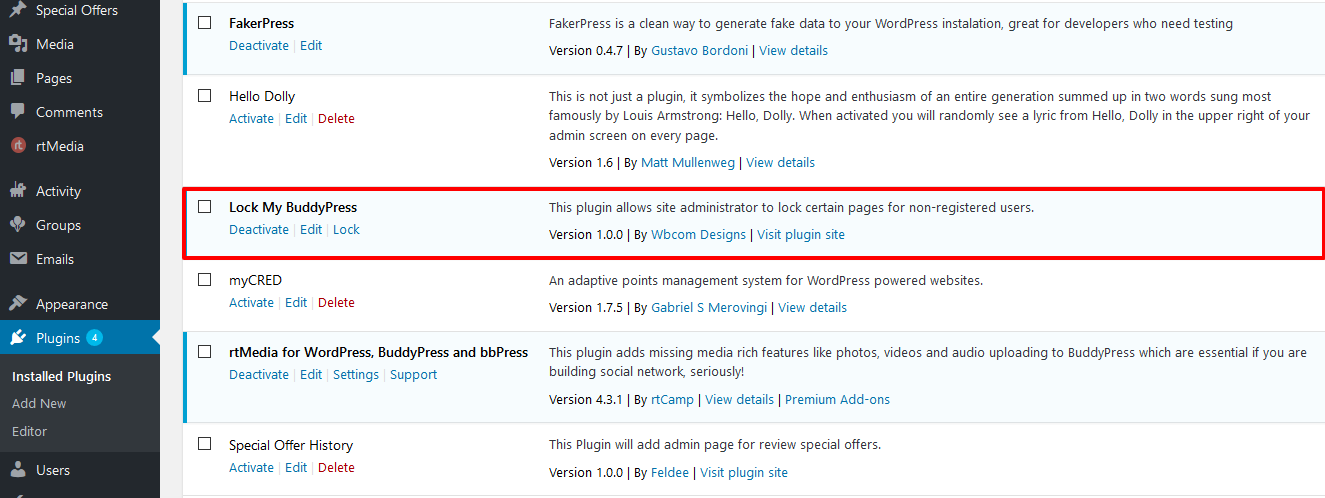
This screenshot shows the plugin general settings to screenshot-1.(png|jpg|jpeg|gif). 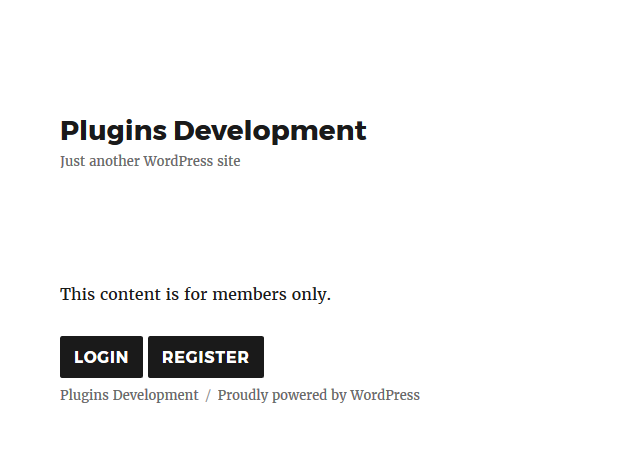
This screenshot shows the BuddyPress Component options setting to screenshot-2.(png|jpg|jpeg|gif). 
This screenshot shows the Custom Post Type options setting to screenshot-3.(png|jpg|jpeg|gif). 
This screenshot shows the pages List options setting to screenshot-4.(png|jpg|jpeg|gif). 
This screenshot shows the locked pages setting layout to screenshot-5.(png|jpg|jpeg|gif).
Installation
- Upload
bp-lockto the/wp-content/plugins/directory - Activate the plugin through the ‘Plugins’ menu in WordPress
FAQ
-
Is this plugin requires another plugin?
-
This plugin does not require any specific plugin. Although this plugin supports BuddyPress, if active.
-
What does this plugin work?
-
This plugin allows the site administrator to secure components of BuddyPress (if active), WordPress pages, custom post types from non-logged-in users. You can lockdown WordPress Pages, any Custom Post Type and any BuddyPress Component and can have some content displayed like if you want to show any shortcode content or any simple message.
-
Why BuddyPress components setting tab, Custom Post Type setting tab and Page setting tab not displayed in plugin settings after plugin activate?
-
These setting tabs will be displayed after enable Lock option in general tab in plugin setting page.
-
If user locked BuddyPress ‘groups’ component, what will be happen?
-
If the user will lock BuddyPress ‘groups’ component, then groups page will not display groups list and restrict access on the single group page too and show content which will be set by admin in Locked Content.
-
If user locked BuddyPress ‘members’ component, what will be happen?
-
If the user will lock BuddyPress ‘members’ component, then groups page will not display members list and restrict access on the single member page too and show content which will be set by admin in ‘Locked Content’.
-
In any archive page locked page content will display or not?
-
No, archive page will not be displayed any content of the locked page.
-
No, it’s content will not be displayed in search content if related page or component already blocked.
-
Can we access single page of locked custom post type?
-
We can’t access single page of locked custom post type.
Reviews


Contributors & Developers
“Wbcom Designs – Private Community for BuddyPress” is open source software. The following people have contributed to this plugin.
Contributors
Translate “Wbcom Designs – Private Community for BuddyPress” into your language.
Interested in development?
Browse the code, check out the SVN repository, or subscribe to the development log by RSS.
Changelog
1.9.2
- Fix – (#55)Fixed notice on the logged out template
- Fix – (#56)Fixed deprecated notices with PHP 8.0
- Fix – Compatibility fixes with BuddyPress 12.0
- Fix – Compatibility fixes with WordPress 6.5
1.9.1
- Fix – add bp lock icon
- Fix – (#52)fixed lock pages do not work
1.9.0
- Fix – Updated admin ui
- Fix – Change enable/disable button style
- Fix – Remove button in wrapper
1.8.0
- Fix – Added Buddypress Recaptcha support for login/register forms
- Fix – updated welcome title
- Fix – #49 Login UI Issue managed
- Fix – Added hook for login and register form
1.7.1
- Fix – Backend Options Improve UI
- Fix – removed BP Components tab
1.7.0
- Fix – Fixed phpcs issues
- Fix – Removed install plugin button from wrapper and phpcs fixes
- Fix – (#39) Update login/register form UI for logged out mode
1.6.0
- Enhancement – Added redirect option for log out user
- Enhancement – Update backend switch UI
1.5.0
- Fix – PHPCS Fixes
1.3.0
- Fix – Support to override template
- Fix – Remove cpt functionality
- Fix – Updated admin notice
1.2.0
- Fix – Add condition for display registration form according to ‘Anyone can register’ option. (#23)
- Fix – Registration form input email style. (#26)
- Enhancement – Added select/unselect all option in page list admin settings. (#8)
1.1.1
- Fix – Admin settings saving glitch.
1.1.0
- Enhancement – Added setting to use custom login registration form using shortcode.
- Enhancement – Changed admin UI.
- Enhancement – Compatibility with BuddyPress 4.3.0
- Fix – Page lock issue.
1.0.4
- Fix – Lock custom post type.
- Enhancement – Locked page not be display in archive.
- Enhancement – Locked component and page will not be display in searched content.
- Enhancement – Lock component single page if the component is blocked.
1.0.3
- Plugin code structure changed
- Added Multisite support
- Lock Template file update
1.0.2
- Changed admin settings UI and a login/register form on the locked content template.
1.0.1
- Updated Labels.
1.0.0
- first version.